












The shift
Costory is the context layer between your bills and your agents. Allocation, normalization and correlation, so the next prompt answers why, not just what.
What it is
01

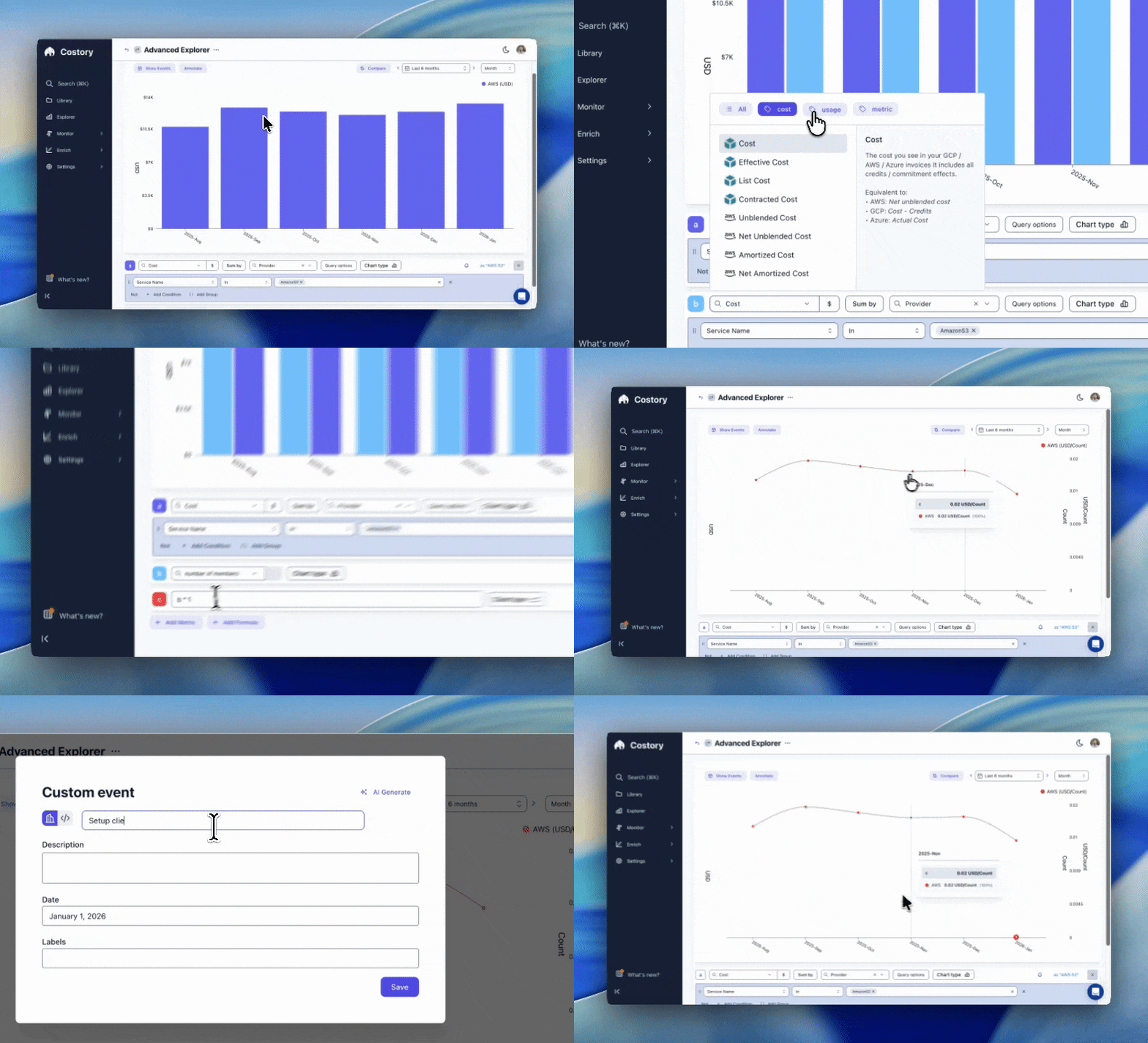
Costory hands your AI assistant the context that lives in your infra engineer's head: billing data correlated with Datadog usage, GitHub deploys, pricing changes, and traffic patterns.
02
Claude can build a 'what changed' dashboard in minutes. The why is the hard part: deploys, pricing shifts, traffic, business metrics. Costory brings that context.
03
Use Costory's tools to create a saved view, set a budget alert, log a cost event, send a weekly digest to Slack. All from the same conversation.
04
Your deploy, scaling, and ops agents are starting to touch cost-sensitive infra. They pull the same allocated spend, budget headroom, and baselines your engineers use, through the same endpoint.
Distribution
Legacy FinOps makes you log into their dashboard. Costory pushes cost context into the tools your teams already use.
Slack
Automated reports by team, alerts, and digests delivered in-channel.
MCP
Claude Desktop, Claude Code, Cursor, VS Code, Dust, and any MCP-compatible client.
BI dashboards
PowerBI, Looker, Data Studio. Finance and leadership see the same numbers in the tools they already report from.
Developer platforms
Backstage and internal IDPs. Engineers see their service's cost next to the rest of its metadata, without switching tools.
Web app
Dashboards, explorer, configuration, and the embedded MCP client with interactive charts.
Raw data vs context
Native cloud MCPs, CUR exports, and Cost Explorer give your AI assistant raw numbers. Costory gives it context.
In practice
When you ask
"Why did costs spike for the data team last week?"
Costory returns a cost diff, likely drivers, related deploys and metrics, historical baseline, and suggests the next drill-down.
When your agent asks
"Before scaling the inference cluster, show the ML team's current compute trend and remaining budget headroom."
Costory returns allocated costs by team, historical trend, and budget status. It contextualizes: historical spend, trend, comparable past events, remaining budget.

Testimonials


Alternatives
How it works
1/ Connect
Add your providers in 30 minutes via Terraform or Cloudformation: AWS, GCP, Azure, Datadog, OpenAI, Anthropic, and more.
2/ Map
Costory auto-suggests allocations from your existing tags and metadata: teams, products, environments, business units.
3/ Distribute
Use Cloud & LLM cost data everywhere: Slack digests and alerts, BI tools, internal developer platforms. Every team lead sees their costs without asking anyone.
4/ Ask
When a report raises a question, dive deeper: query Costory through your AI assistant or jump into the web app.
Pricing
Most popular
Know what changed, who's responsible, and what to do about it.
€
EUR
/ month
Billed Annualy
No percentage of cloud spend
No enterprise sales call
No need to hire a FinOps team
FAQ