

01 · DASHBOARD
Explorer filtered to Aiven, grouped by resource name. The perfect dashboard does not exist: explore on the fly for a specific investigation. Costory will find the best group by / where clause to explain these costs.
02 · METRICS
Query platform cost next to the rest of the bill. Cost is never enough when explaining a production system: correlate your costs to the metric that really matters — DAU, usage, etc.

03 · WEEKLY REPORT
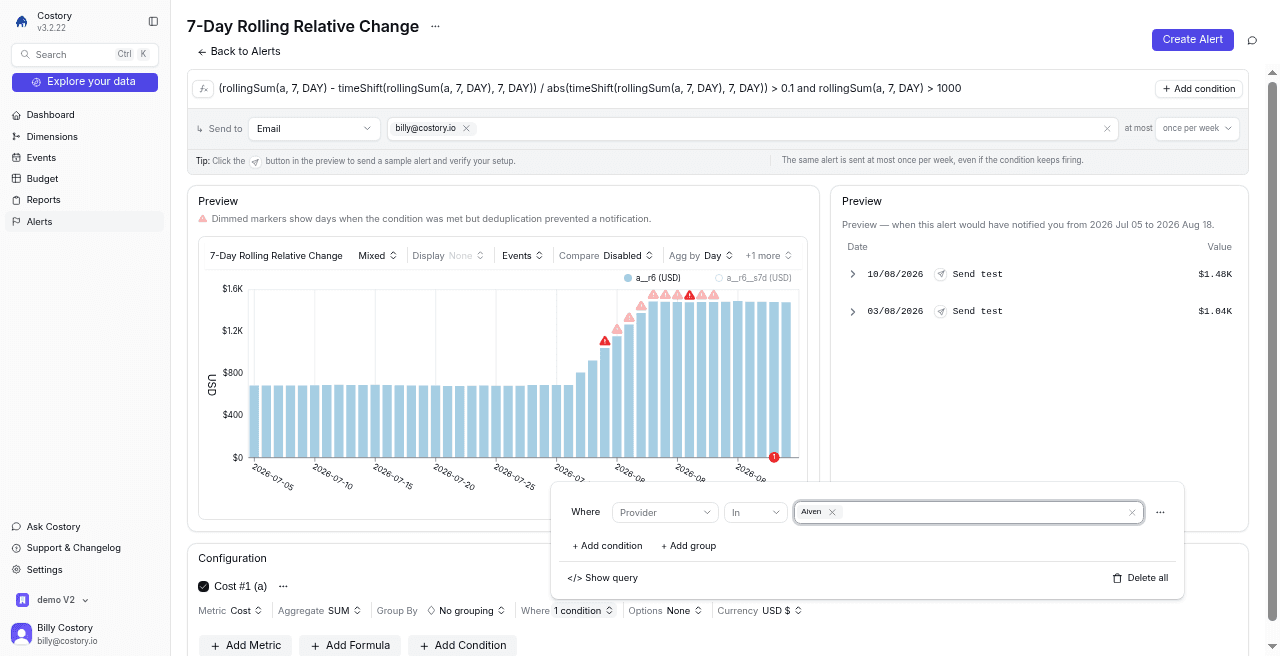
Alert if Aiven costs increase more than 10% over a week. The best UI for FinOps is the one you don't have to use: receive reports or alerts directly in your tool (Slack, Teams, email).
WHAT YOU CAN ASK
“Which Aiven services drove this month’s cost increase?”
“Alert me if Aiven costs increase more than 10% over a week.”
“Send a weekly Slack of Aiven spend that moved.”
FAQ